
Key takeaways:
- Kotlin has officially superseded Java, reducing codebase verbosity by 40% and eliminating null crashes through native null safety and coroutines for asynchronous tasks.
- Jetpack Compose has replaced XML-based layouts, moving Android to a declarative paradigm that significantly simplifies UI state synchronization and code maintainability.
- While Native Android remains superior for high-performance and hardware-intensive apps, Flutter is the strategic choice for startups needing to deploy a single codebase to both iOS and Android.
- AI has shifted from a coding assistant to a core system feature; developers now use Gemini Nano for on-device machine learning and AI-assisted debugging, drastically shortening build cycles.
- Success in the modern era depends on aligning these technologies with business goals, ensuring that every architectural choice supports long-term scalability and user retention.
An Honest Reflection of Android Development History: 2009 to Present Day
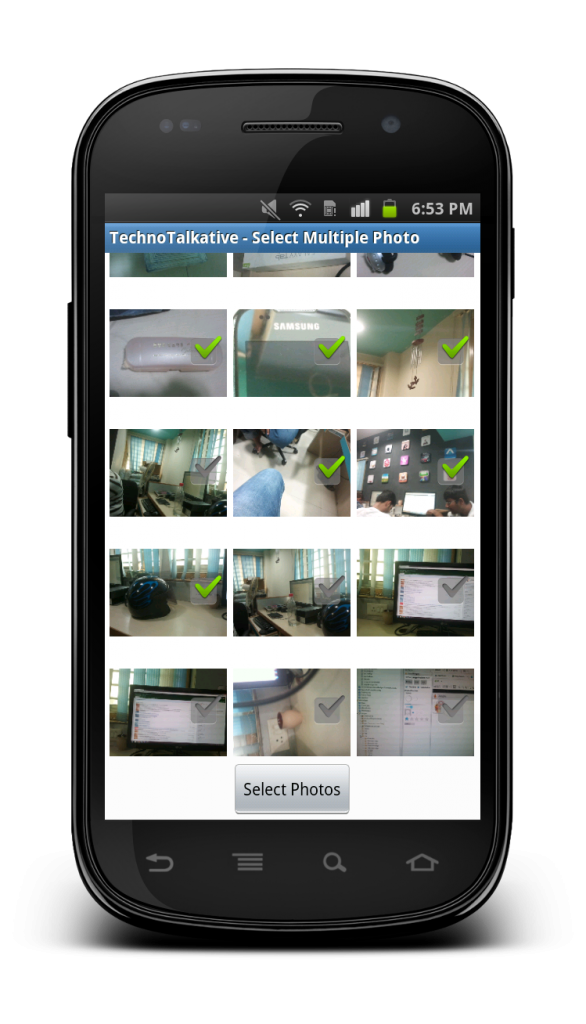
I still remember the first time I ran an Android app I had written myself. It was around 2009, I was doing an internship, and the emulator was painfully slow; we’re talking minutes to boot, not seconds. But when that app finally loaded and worked, there was a feeling I can’t quite describe. A mix of excitement, disbelief, and the quiet sense that something big was happening.
I had no idea at the time that Android would go on to define the next decade of my career. And I certainly had no idea that years later, I’d be sitting here as a co-founder and CEO, reflecting on what changed in Android development that influenced my tech journey.
This article is my honest, personal reflection on that journey. Not a documentation of changelogs or API updates, as there are plenty of those out there. This is about what it actually felt like to be a developer living through these changes, and what the evolution of Android means for developers and founders today.
The Wild West Era (2009–2012): When Android App Development was still new
Getting into Android in 2009 was a bit like being handed a map with most of it blank. The platform was young, the documentation was sparse, and the developer community was still figuring things out together. There were no Stack Overflow answers for half the problems you’d encounter; sometimes you were the first person to hit a particular issue, and you just had to dig your way through it.
The tooling reflected that rawness. We were working in Eclipse with the Android Development Tools (ADT) plugin; a setup that was functional, but clunky by today’s standards. Gradle didn’t exist yet. Dependency management was largely manual; you’d download a JAR file, drop it into your libs folder, and hope for the best. Build times were long, the emulator was infamously slow, and debugging felt more like guessing than a reliable science.
We wrote everything in Java. Verbose, boilerplate-heavy Java. Want to handle a button click? Prepare to write an anonymous inner class. Want to load an image from a URL? Write your own AsyncTask, manage your own threading, handle your own caching, or piece together libraries that may or may not be maintained. There was no Glide, no Picasso, no Retrofit. You were largely on your own.
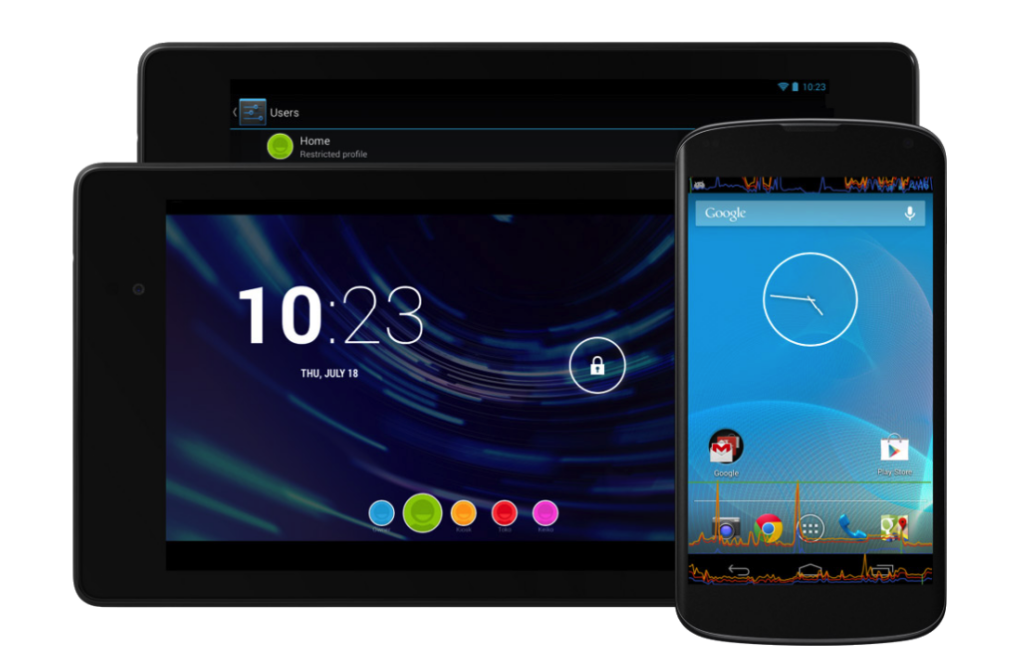
And then there was device fragmentation. Oh, device fragmentation. Android ran on hundreds of different devices with different screen sizes, different OS versions, and different manufacturer skins. Writing an app that looked and worked consistently across all of them was a genuine challenge. You’d test on a handful of devices, ship, and then wait for the crash reports to tell you what you missed.
But here’s the thing, none of that dampened the excitement. If anything, it amplified it. Every problem you solved felt like a genuine discovery. The community was small and collaborative. When you figured something out, you shared it, because there was a real chance nobody else had written about it yet. That spirit of exploration was infectious, and it’s a big part of what drew me deeper into Android development during my early years at Digicorp, where I was building real apps for real users.
The Platform Grows Up (2013–2017): When Android Development Got Better Tools and Better Practices
The mid-2010s were a turning point. Google was clearly investing heavily in the developer experience, and it showed. The arrival of Android Studio in 2013 was a significant moment; a proper IDE built specifically for Android, with real-time linting, a smarter layout editor, and eventually much more useful build tooling. Moving from Eclipse to Android Studio felt like upgrading from a bicycle to a car.
Gradle came with it, and while it had a steep learning curve (and still does, in some ways), it fundamentally changed how we managed projects and dependencies. Suddenly, adding a library was a single line in a build file rather than a manual download-and-drop operation. The ecosystem of open-source Android libraries exploded during this period. We got Retrofit for networking, Picasso and Glide for image loading, ButterKnife for view binding, and RxJava for reactive programming. Being a productive Android developer started to mean knowing which libraries to reach for, not just how to write everything from scratch.
Architecture became a real conversation, too. For a long time, Android apps were essentially written by putting everything in Activities and hoping for the best. As apps grew more complex, that approach fell apart quickly. This era saw the community seriously start debating and adopting patterns like MVP (Model-View-Presenter) and then MVVM (Model-View-ViewModel).
The best Android app architectures were considered:
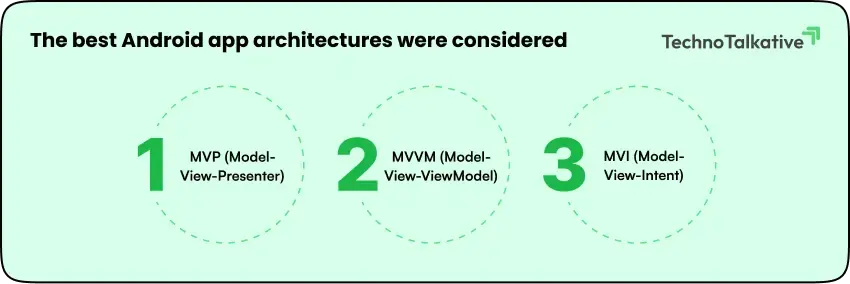
- MVP (Model-View-Presenter): A pattern where the Presenter acts as the “middleman” between the View and Model, handling logic through a 1:1 interface contract.
- MVVM (Model-View-ViewModel): The industry standard for Android that uses a ViewModel to hold UI state, exposing data streams (via LiveData or Flow) for the View to observe.
- MVI (Model-View-Intent): A reactive architecture that enforces a unidirectional data flow (UDF) where every user action is treated as an “intent” that generates a new immutable state.
It was during this period that I was working across different companies and roles, from InfoStretch to KarConnect to Let’s Nurture, and I saw firsthand how teams that invested in clean architecture built more maintainable, more scalable products.
Material Design, introduced in 2014, was another milestone. It gave Android a coherent visual language for the first time, and it made the platform feel genuinely premium and intentional. Building apps that looked polished became much more achievable, and the design-developer relationship improved because there was now a shared vocabulary and a clear set of guidelines to work from.
The community also matured significantly. Android Weekly started curating the best articles, libraries, and talks from the ecosystem every week, and the reach of community content grew enormously. This was the era when writing and sharing your knowledge as a developer could genuinely establish your reputation, not just locally, but globally. The platform was big enough that people were paying attention, and the community was engaged enough that good content got amplified.
The Kotlin Revolution and the Modern Era (2017–2020): When Android App Development Went Mainstream
If I had to pick one single change that most transformed the day-to-day experience of being an Android developer, it would be Kotlin. Google’s announcement of first-class Kotlin support at Google I/O 2017 was a watershed moment. And by 2019, Kotlin had become the officially recommended language for Android development.
I had been writing Java for Android for the better part of a decade at that point. Switching to Kotlin was bigger than just a syntax change. For many developers like me, it was a completely different way of thinking about code. Null safety is baked into the type system. Concise, expressive syntax that removed large amounts of boilerplate. Extension functions, data classes, and coroutines for handling asynchronous code in a way that actually made sense. Writing Kotlin felt like someone had looked at all the friction in Android development and systematically removed it.
Many new Android developers still wonder whether they should learn Java or Kotlin. I’ll share from my personal experience how Kotlin solved so many problems developers struggled with in Java back in the day.
| Area | Java | Kotlin |
| Null Crashes(#1 cause of Android app crashes) | Any variable could silently hold a null value. The app would crash at runtime, often in production, in front of real users. There was no way to tell from the code alone what could or couldn’t be null. | ✓ SolvedNull safety is built into the language. Kotlin forces developers to decide upfront whether a value can be null, and the compiler won’t let you forget to handle it. Most null crashes disappear entirely. |
| Boilerplate(Repetitive code for basic tasks) | Simple things, like defining a data object, required dozens of lines of repetitive, error-prone code. Getters, setters, constructors, equality checks. Written from scratch, every time. | ✓ SolvedKotlin eliminates entire categories of repetitive code. What took 30+ lines in Java takes one line in Kotlin — with equality checks, copying, and display formatting built in automatically. |
| Async Code(Background tasks & threading) | Running tasks in the background, like fetching data from a server, required complex patterns that were easy to get wrong. Memory leaks were common. The official Java solution was so problematic that Google deprecated it entirely. | ✓ SolvedCoroutines let developers write background tasks that read like simple, top-to-bottom code. No callback chains, no memory leaks, and automatic awareness of the app’s lifecycle. |
| Verbosity(Too much syntax for simple actions) | Basic interactions, like responding to a button tap, required wrapping code in anonymous classes and overriding methods. Even senior developers found it tedious. It made onboarding new team members noticeably slower. | ✓ SolvedKotlin’s concise syntax cuts the noise dramatically. Code is shorter, easier to read, and faster to write, meaning developers spend more time on logic and less time on ceremony. |
| Extending Classes(Adding utility without rewriting) | Adding a helper method to an existing Android component meant creating a separate utility class stored somewhere else: disconnected, hard to discover, and easy to duplicate accidentally. | ✓ SolvedExtension functions let you add methods to any existing class as if they were always part of it, without touching the original source. The result is cleaner, more intuitive code that reads naturally. |
| Adoption Risk(Switching languages mid-project) | Teams couldn’t gradually move to a better language. Any switch felt like an all-or-nothing rewrite. A massive risk for live products with real users depending on them daily. | ✓ SolvedKotlin is 100% interoperable with Java. Teams can adopt it file-by-file, feature-by-feature. New code can be Kotlin while existing Java code keeps running, no big-bang rewrite required. |
The results:
- Kotlin became Google’s officially recommended Android language.
- ~40% less code: Less code is needed in Kotlin for the same functionality compared to Java.
- 95%+ of the top 1,000 Android apps on Google Play now use Kotlin
By this point in my career, I had moved into technical leadership roles at Simform, and one of the most visible shifts I observed was how Kotlin changed the onboarding experience for new Android developers. The cognitive overhead of Java’s verbosity had always been a barrier; Kotlin lowered it considerably. Junior developers could become productive faster, and senior developers could express complex ideas more cleanly and safely.
Alongside Kotlin, Google’s Jetpack suite of libraries brought a level of opinionation to Android architecture that the ecosystem had long needed. Lifecycle-aware components, Room for database management, WorkManager for background tasks, and the Navigation component for handling app navigation. These weren’t just convenience libraries; they were Google essentially saying: “Here is how we think you should build Android apps”. For teams and technical leads, having that canonical guidance was genuinely valuable.
Flutter also entered the picture seriously during this period. As someone deeply rooted in native Android, I watched Flutter with both curiosity and a degree of healthy skepticism. But as I got more exposure to it, and as the ecosystem around it matured, it became clear that Flutter was solving a real problem.
| Area | Native Android | Flutter |
| Codebase | Separate codebases for Android and iOS. Two teams, two sets of bugs, two release cycles. | One codebase ships to Android, iOS, web, and desktop simultaneously. |
| UI Rendering | Android renders UI using its own system components. Tightly integrated but platform-locked. | Flutter draws every pixel itself using its own engine. UI looks identical across every device and OS version. |
| Performance | Fully native. Direct access to hardware and OS, no translation layer. | Compiles to native ARM code. Targets 60-120fps. For most apps, the difference from native is imperceptible. |
| Development Speed | Building the same feature twice, once per platform, with separate testing for each. | Hot reload shows UI changes in under a second. One feature ships everywhere at once. |
| Language | Kotlin (or Java) is purpose-built for Android. Deeply familiar with the ecosystem. | Dart: a language most Android developers had to learn from scratch. Most find it approachable within weeks. |
| Platform Access | Full, immediate access to every Android API, sensor, and hardware capability. | Most platform features are available via plugins. Advanced or new Android APIs may need a custom setup. |
| Team & Cost | Requires separate Android and iOS developers. At least two skillsets, often two teams. | One team, one language, one codebase covers both platforms. Lower cost for startups. |
| Best For | Performance-critical apps, Android-first products, and apps needing deep hardware or platform access. | Startups need to ship fast on both platforms. Mainstream apps where speed to market matters most. |
For many products and teams, the ability to build high-quality, performant apps for both iOS and Android from a single codebase was simply too compelling to ignore. Right now, app developers judge Kotlin vs Flutter to choose the best language and framework for their app. The rise of Flutter represented a broader shift in how founders and businesses were starting to think about mobile development investment.
Where We Are Now (2021-Today): Compose, AI Android App Development, and New Opportunities
The most significant recent shift in Android development has been Jetpack Compose. Moving from XML-based layouts to a declarative UI paradigm is not a small change because it makes you fundamentally rethink how you build interfaces on Android. If you’ve worked with React or Flutter’s widget system, the mental model will feel familiar. But for developers who spent years mastering Android’s View system, it requires genuine unlearning.
That said, Compose is clearly the direction Android is heading, and for good reason. If you’re curious, I have compiled a whole list of Android app development trends for 2025-2026. Building UIs declaratively means less code, more predictable behavior, better tooling for previewing and testing, and a more natural way to handle state. The transition takes time and investment, but the developer experience on the other side is meaningfully better.
Then there is AI. The integration of AI into mobile development is happening at a pace that would have seemed extraordinary even five years ago. On one level, AI tools are changing how developers write code. GitHub Copilot, AI-assisted debugging, and other AI tools that can generate boilerplate or suggest refactors in real time. These are already changing developer productivity in ways that are hard to overstate. A developer today with good AI tooling can accomplish in hours what might have taken days a few years ago.
But AI is not just a productivity tool for developers. Now, it is becoming a core feature in mobile apps themselves. On-device machine learning, intelligent personalization, natural language interfaces, and computer vision features that were previously only accessible to teams with dedicated ML expertise are now becoming practical options for product teams building mobile apps. Google’s investment in on-device AI with the Gemini Nano integration on Android is a signal of where things are heading. AI has several use cases in almost all industries, accelerating its adoption among businesses.
From where I sit now as a CEO, the AI dimension of mobile development is one of the most exciting and consequential shifts I have seen in 15+ years in this space. It is not just changing what developers can build, but also what founders and businesses need to think about when they are planning their mobile product strategy.
What Changed and What Stayed the Same in Android App Development
With so much having changed, it is worth pausing to note what hasn’t. The fundamentals of building a good mobile app have remained remarkably constant. Performance matters. User experience matters. Thoughtful architecture pays dividends over time. Writing code that your future self and your teammates can understand and modify is always worth the effort.
The instinct to understand why something works, not just that it works, is just as important today as it was when I was writing my first AsyncTask. Tools change, frameworks change, languages change. The developer who understands the underlying principles will always adapt faster and build better than the one who is just following tutorials.
The community spirit has also remained. It has grown enormously, become more diverse, spread across more platforms and geographies, but the generosity of Android developers sharing what they know with each other is still very much alive. That’s something I valued as a developer writing tutorials and sharing tips early in my career, and it’s something I still believe in deeply.
A Personal Note: Why I’m Back to Writing
Writing this has reminded me how much I genuinely love this space. The last several years have been consumed by building a company, which has been its own kind of exciting and challenging journey, but the part of me that gets energized by talking about technology, sharing what I’ve learned, and staying curious about where mobile development is heading has never gone away.
My perspective has evolved. I am no longer just a developer thinking about how to build things but also a founder thinking about why to build them, for whom, and with what tradeoffs. I think that combination gives me something useful to contribute to conversations about modern mobile development, and I am looking forward to doing exactly that.
If you have been following this space for years, I hope this reflection resonated.
If you are new to Android or mobile development, I hope it gives you some useful context for the platform you are stepping into.
If you are a founder or product leader trying to navigate the modern mobile landscape- stay tuned, because that is very much part of what I want to write about going forward.
The platform has come a long way from those painfully slow emulators in 2009.
And honestly?
It is more interesting now than it has ever been.