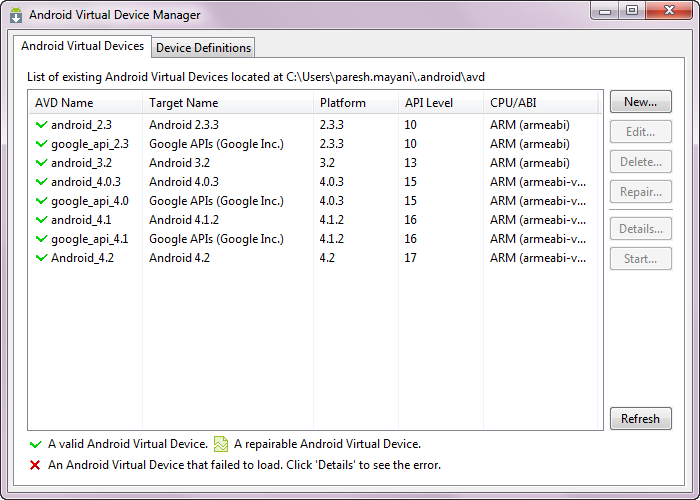
New AVD Manager

New Android Virtual Device Manager – ADT 21.0

Prerequisite: ADT 21.0.0

I just updated my ADT with 21.0.0 and i got to see new feature available in Android Virtual Device Manager window, going to explore it here. One of the interesting moment for me is its not well documented yet on Developer.Android.com other than ADT Plugin 21.0.0, here they have only included only about the changes they included in AVD Manager window.

Here are the documentation link for AVD:

Anyway, let me explore new changes of Android Virtual Device Manager window.

In earlier, we were having only AVD Manager with list of AVD’s created by us, same like attached in below image.
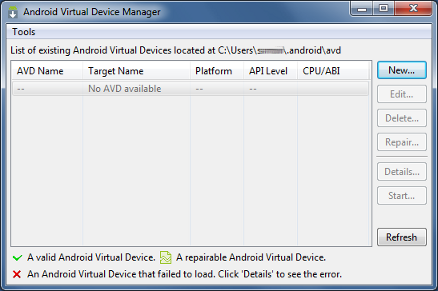
Old AVD Manager
Android 4.2 Tip 1 – How to reveal developer options?

Android 4.2 Tip 1 – How to reveal developer options?

Google has hidden the Developer Options in its latest release (4.2) of Android.

So here is the simple step by which you can reveal the developer options:

  1. Open Settings screen
  2. Scroll down to the bottom, once you are there tap on About Tablet or About Phone.
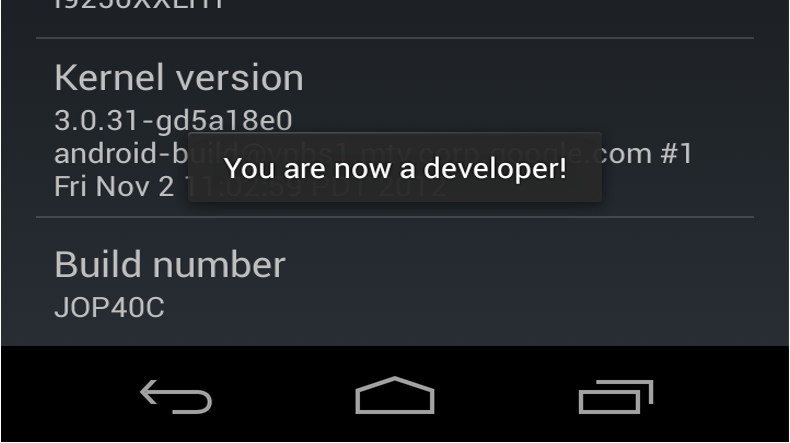
  3. Find Build number at bottom of the screen again. By Tapping it 7 times, you can be able reveal Developer options.
  4. Check Developer options available in the settings screen, just above the About Tablet/Phone option.
android zero to one

Android training class for adding Animations

Yesterday, Android developers has published new training class for Adding Animations in Android app, which quickly gets you up to speed on implementing common animations and transitions in your app with the new-ish android.animation APIs.

It covers basics like crossfades (dissolves), screen slides with ViewPager, card flips, zooms (although nothing on API 16 ActivityOptions yet), and automatic layout change animations.